

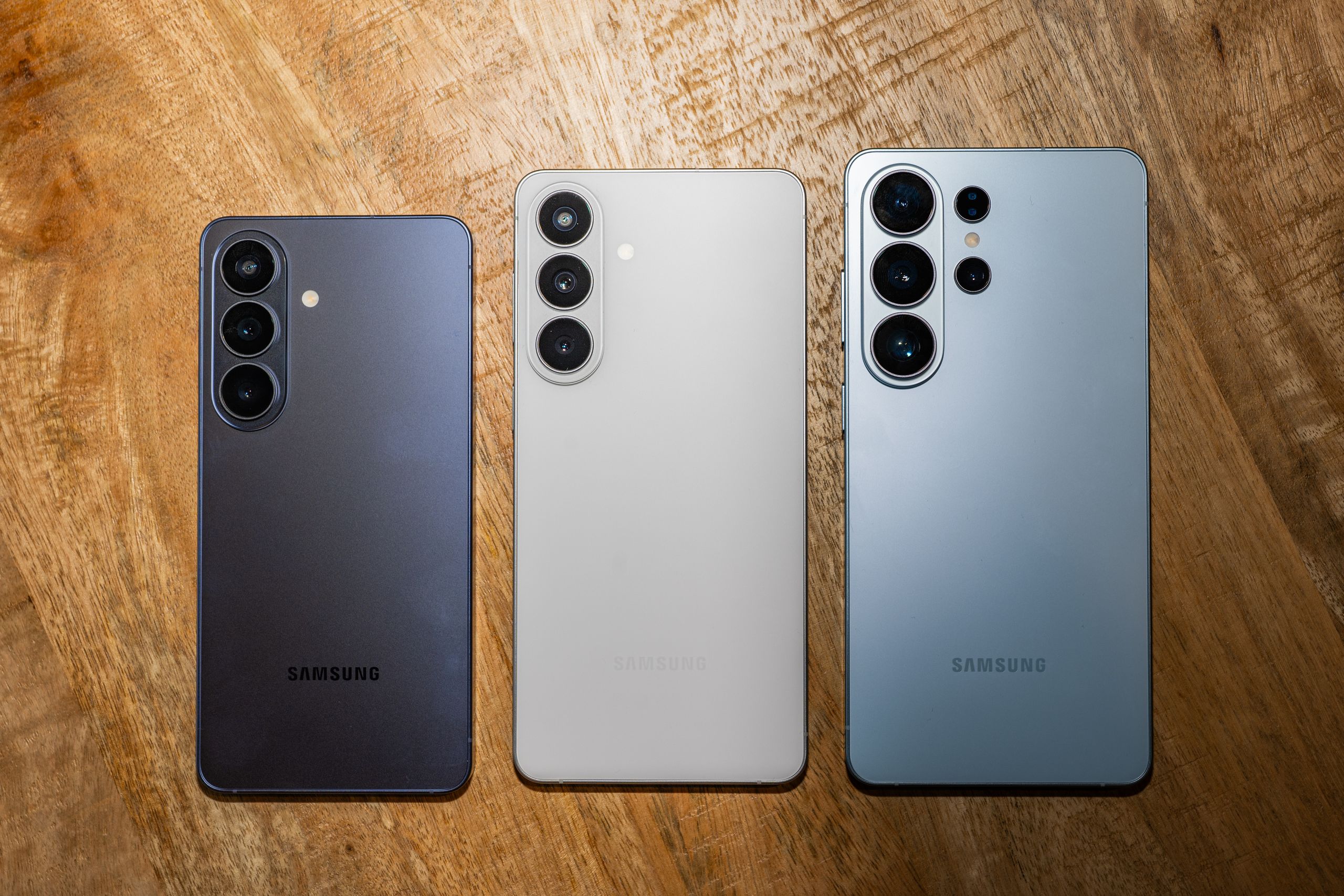
Samsung’s latest Galaxy smartphones—the Galaxy S26 series—are all about optimization and AI. The phones, which were revealed at the company’s Galaxy Unpacked event in San Francisco, aren’t all that different from the Galaxy S25 models from last year. However, the company is promoting performance optimizations that are said to improve AI processing. Naturally, there are a bunch of new AI features baked into the phones too.
.jpg)
The Galaxy S26 Ultra’s most significant hardware upgrade is the Privacy Display. It prevents stray eyes from peeping over your shoulder at sensitive information on your screen—no need to apply a third-party privacy screen protector. The Ultra otherwise doesn’t look as visually distinct next to the Galaxy S26+ and Galaxy S26; unlike the previous flagships, they now all share the same look.The Galaxy S26 series is available for preorder now, with official sales kicking off on March 11. The Galaxy S26 and S26+ are getting a $100 price increase—likely due to a RAM bump, as RAM is expensive these days. They cost $900 and $1,100, respectively, to get started. The Galaxy S26 Ultra remains at the same price as its predecessor: $1,300. Samsung also unveiled a new pair of wireless earbuds, the Galaxy Buds4 ($179) and Buds4 Pro ($249), also arriving March 11. Everything you need to know is here. The Display of Privacy The Galaxy S26 Ultra has something you’ve never seen on a smartphone: a built-in privacy screen. This is a hardware-driven feature because the OLED panel has two types of pixels: one that directs light to your eyes and another that is wider and lets light reach the sides. That allows you to view the screen from all angles. When the Privacy Display is enabled, the latter pixels are turned off, severely limiting what people around you can see. It’s not just blocking the left and right sides of the smartphone like most two-way privacy screen protectors, but also the top and bottom.
The fact that the Privacy Display can be customized through the software makes it more powerful than your typical privacy screen protector. By tapping the Quick Settings tile, you can turn it on for the entire screen, or you can turn it on only for apps that require a pin or passcode, like banking apps, or for all incoming notifications. Samsung claims that it will even integrate with its routines, allowing you to turn it on automatically based on your location, such as when you leave the office.